
Plan the day's stops in an order that makes sense
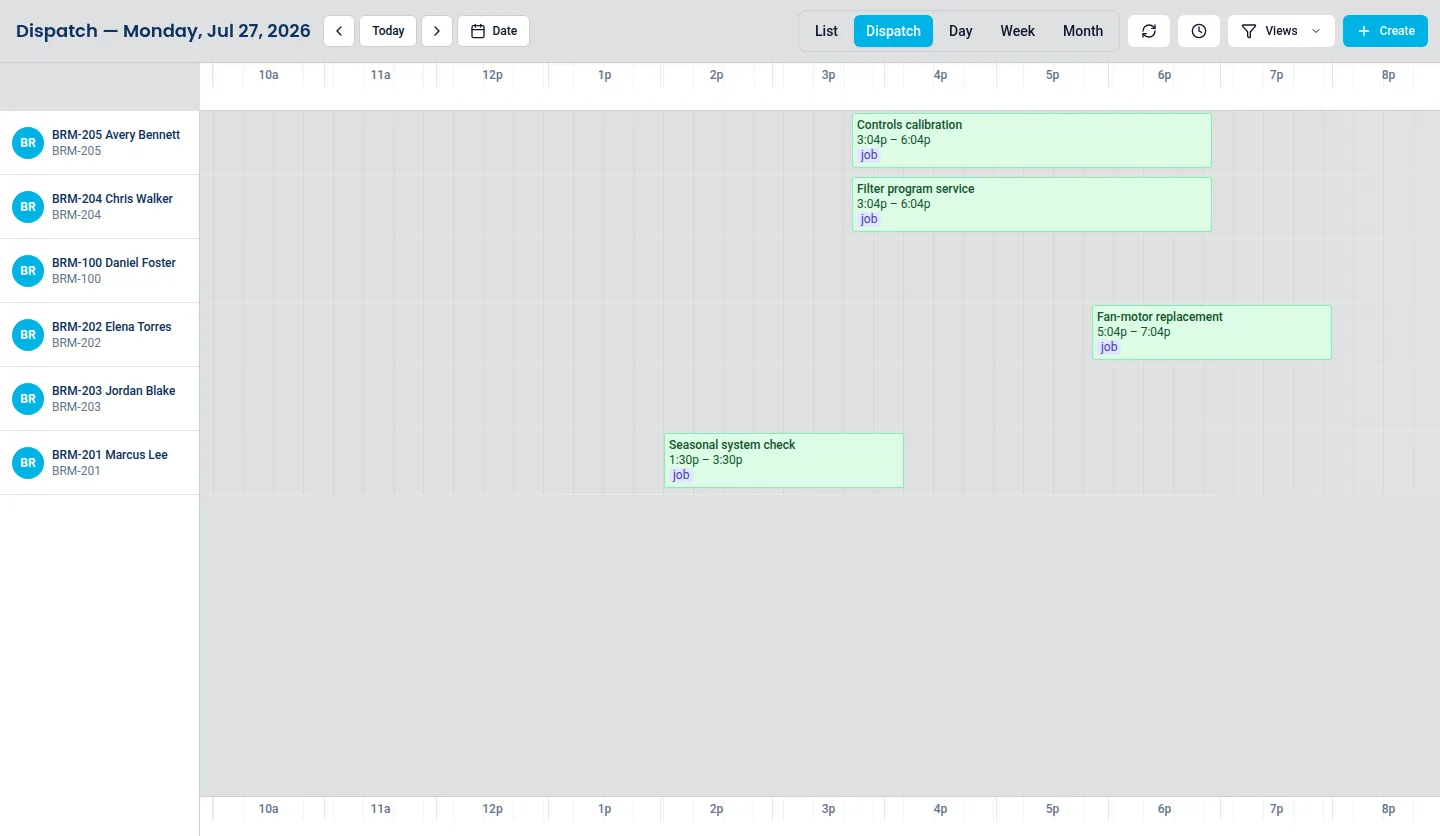
Group a technician's visits by area and time window and sequence them yourself. ServusOne gives you the board to plan on — it does not silently rearrange your day.
Why this is worth solving
A technician with seven stops has a good day or a bad one depending almost entirely on the order those stops were put in. Cross-town backtracking is the difference between finishing at four and finishing at seven.
Plenty of software promises to solve this automatically. In practice the constraints that matter — which customer will not be home before noon, which job needs the second technician, which site needs the tall ladder — are the ones an algorithm does not know.
What it looks like
What you get
Sequence the day yourself, on one board
The dispatch timeline shows one day across your technicians. You set the order of a technician's stops using what you know about access windows, drive time, and job length.
Service addresses live on the customer record
Each customer carries its own service addresses, so the stop a technician is driving to is the site that needs work — not whichever address happens to be on the invoice.
Plan changes are recorded, not just communicated
Moving a stop updates the underlying work order and schedule event. The plan and the record of the day stay the same object.
Honest about the limits
There is no optimization engine to tune, no black box reordering your crew's day overnight, and no per-stop optimization surcharge. What you plan is what the board shows.
Straight answers
How do I plan a technician's day?
On the dispatch timeline, which shows one day across your technicians. You group a technician's visits by area and time window and set the order using what you know — the access window, the drive, the job that needs a second pair of hands.
Where does the address a technician drives to come from?
The customer's own service addresses. A customer can hold several, so the stop is the site that needs work rather than whichever address happens to sit on the invoice.
If I move a stop, does anyone have to be told?
Moving a stop updates the underlying work order and schedule event, so the plan and the record of the day stay the same object. The change is in the system before it is in a conversation.
Why is this page not called route optimization?
Because ServusOne plans routes rather than optimizing them: you set the stop order, and nothing rearranges your crew's day overnight. The route was renamed from the older optimization-flavoured URL so the address matches what the product actually provides.
Put it against a real week of work
The 14-day trial starts without a card, and the plans are published in full if you would rather look at those first.