
Fill the week, then keep it honest when the day changes
Book work against real technician availability, assign it from a dispatch board, and let every change flow straight through to the job record — not into a phone call nobody wrote down.
Why this is worth solving
Most field-service schedules are accurate at 7am and fiction by 10. A no-access call, an emergency, a part that did not arrive — each one moves a job, and each move has to be re-communicated to a technician who is already driving.
The cost is rarely the reschedule itself. It is the second job that quietly got double-booked, the customer nobody called back, and the visit that never made it onto an invoice because it only ever existed in a text message.
What it looks like
What you get
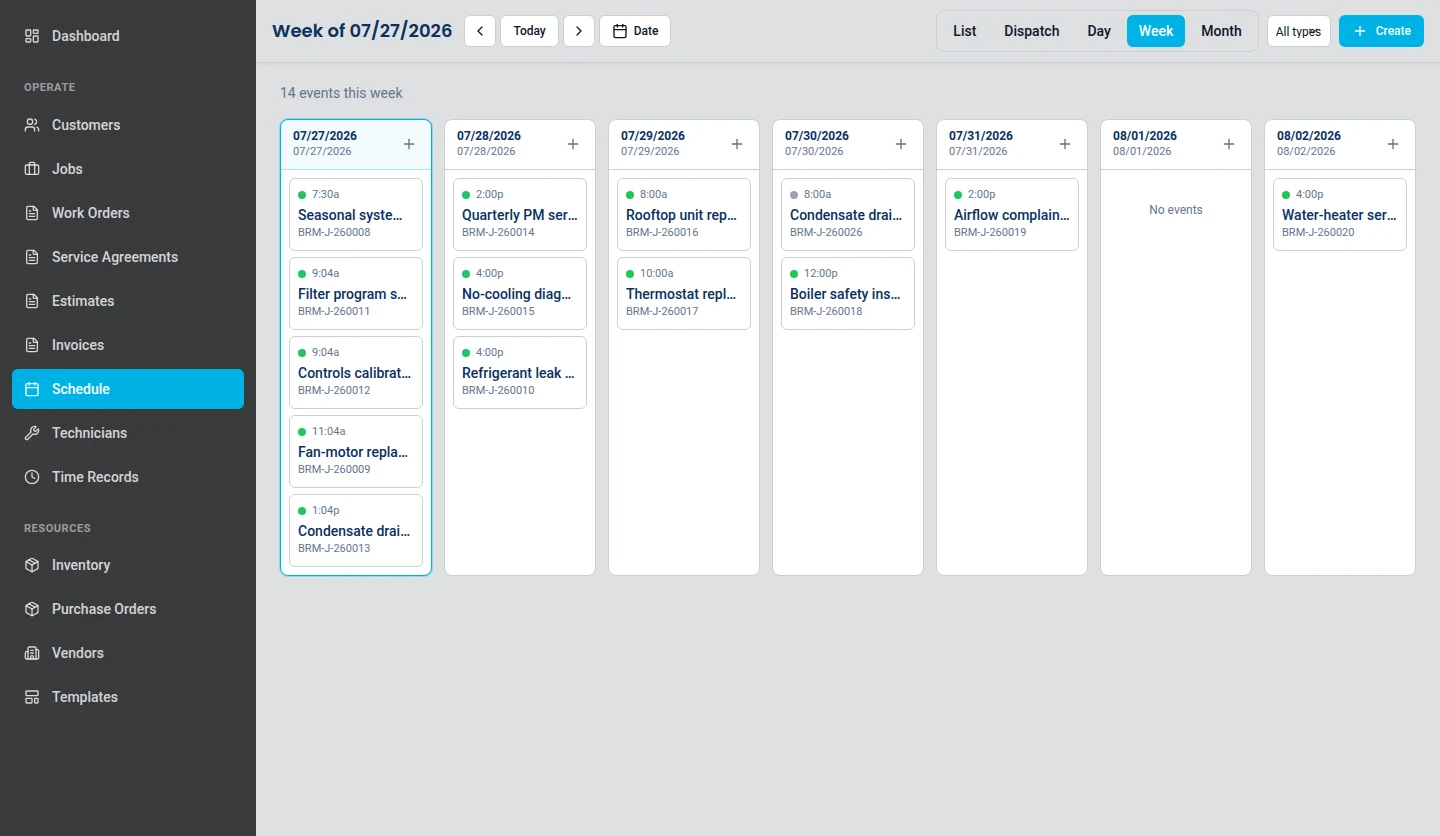
A week view that shows the crew, not just the calendar
Scheduled visits sit against the technicians assigned to them, so an over-committed day is visible before it becomes an angry phone call. Work spans historical, same-day, and future dates in one continuous view.
A dispatch board for the day you are actually having
The dispatch view narrows the schedule to a single day's timeline across technicians. Reassign a job, move a window, and the change lands on the work order rather than living in someone's memory.
Every visit stays attached to its work order
A scheduled event is not a free-floating calendar entry. It belongs to a work order, which belongs to a customer and a site, so the schedule and the service record never drift apart.
Customer-requested changes arrive as records
When a customer asks to move a visit through the client portal, that request arrives as a schedule-change request attached to the work order, not as an email somebody has to remember to action.
Straight answers
The day falls apart at ten. How fast can I rebuild it?
On one screen. The dispatch view narrows the schedule to a single day across your technicians, so you can move a window or hand a job to someone else without leaving the board — and the change lands on the work order rather than in a phone call nobody wrote down.
Can I reassign a job to a different technician?
Yes, and the reassignment is recorded rather than merely communicated. The visit stays attached to its work order, so the job history shows who it moved to and when.
Does a scheduled visit stay attached to its work order?
Always. A scheduled event is not a free-floating calendar entry — it belongs to a work order, which belongs to a customer and a site. The schedule and the service record cannot drift apart because they are the same record.
What happens when a customer asks to move their visit?
It arrives as a schedule-change request attached to the work order, raised by the customer through the client portal. Nobody has to remember to action an email.
Can the office see who is assigned and what is finished?
Yes. The week view shows visits against the technicians assigned to them, so an over-committed day is visible before it becomes an angry phone call, and the board reflects what has been assigned and what has been marked complete.
Put it against a real week of work
The 14-day trial starts without a card, and the plans are published in full if you would rather look at those first.